Post it once — guests sign up right in the app
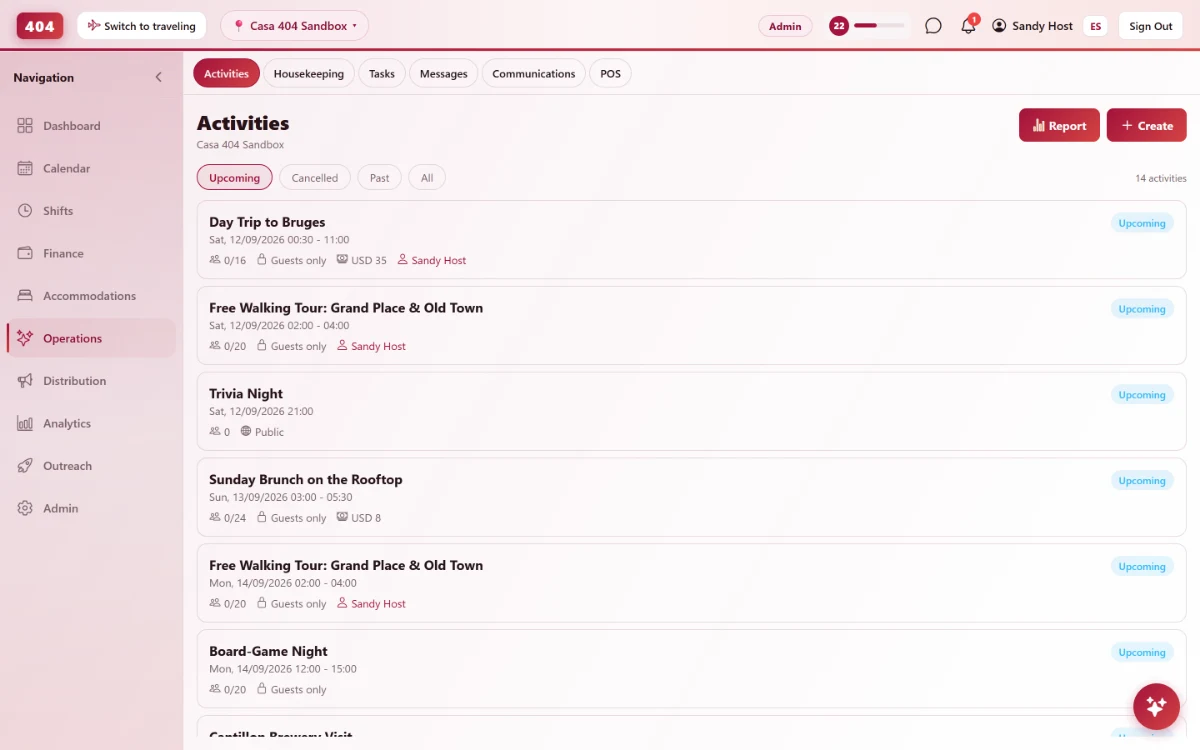
Create an activity with a price, a capacity and a signup form. Guests join with one tap, pay if there's a cost, and you see exactly who's coming.
-
Create once
Everything an activity needs, in one form
Title, photo, time, cost, capacity, the staff member running it, and custom signup questions — set it up once and it’s live for guests immediately. Make it recurring and it repeats on its own schedule instead of you re-entering it every week.
- Cost for guests vs. non-guests
- Capacity & signup questions
- Assign staff to run it
- Recurring, weekly or monthly
-
What guests see
One tap to join, not a whiteboard nobody reads
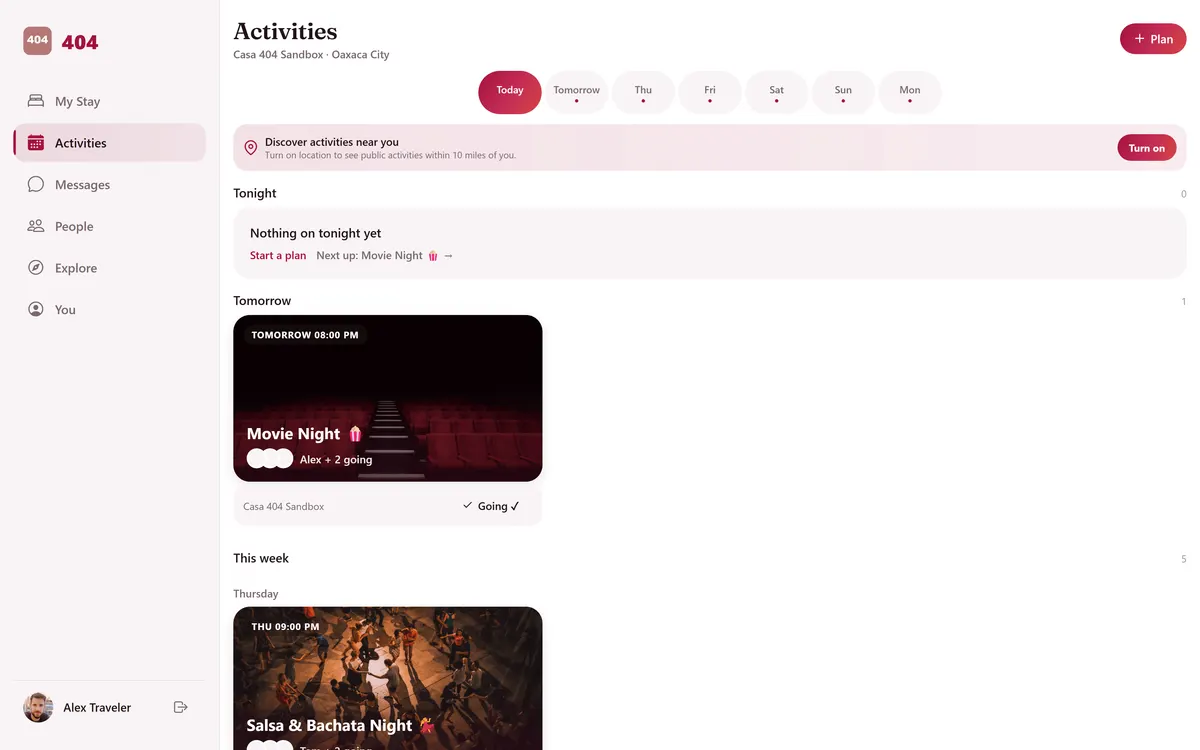
Guests browse activities in the app and join with one tap — the button switches to Full or Closed on its own once capacity or the signup deadline hits. If there’s a cost, they see it before joining, and they can invite a friend by WhatsApp straight from the activity.
- Join, Full or Closed states
- Price shown before joining
- Capacity enforced on join
- Invite a friend via WhatsApp
-
Know what’s working
Revenue, attendance, and who still owes
A built-in report shows signups and revenue per activity, which recurring series pull the biggest crowds, and exactly who hasn’t paid yet — so activities stop being a guess.
-
Signups & revenue
See paid vs. total signups per activity, at a glance.
-
Recurring series stats
Average signups per occurrence for anything that repeats.
-
Outstanding balances
Know exactly who owes what — and who’s still checked in to chase.
-
Staff cost, kept private
Track internal cost per activity, visible only with the right permission.
-
Common questions
Can I charge guests one price and outside visitors another?
Yes — set a guest cost and a separate non-guest cost, and the app shows whichever one applies to who’s joining.
What happens when an activity fills up?
The Join button switches to Full automatically once you hit max participants — no overbooking a tour by accident.
Do I have to recreate a weekly activity every time?
No. Mark it recurring — weekly or monthly, on the days you pick — and it keeps generating itself until you set an end date or cancel it.
Can guests bring friends who aren’t staying with us?
If you make it public, yes — it’s visible outside the guest list, and guests can also invite a specific friend by WhatsApp.
See it running in your hostel
Set up in 30 minutes. No credit card required.