Connect Agoda to Travel404
Flip channel manager mode on in Agoda's YCS, hand Channex your IDs, and Travel404 takes over pushing rates and pulling bookings from there.
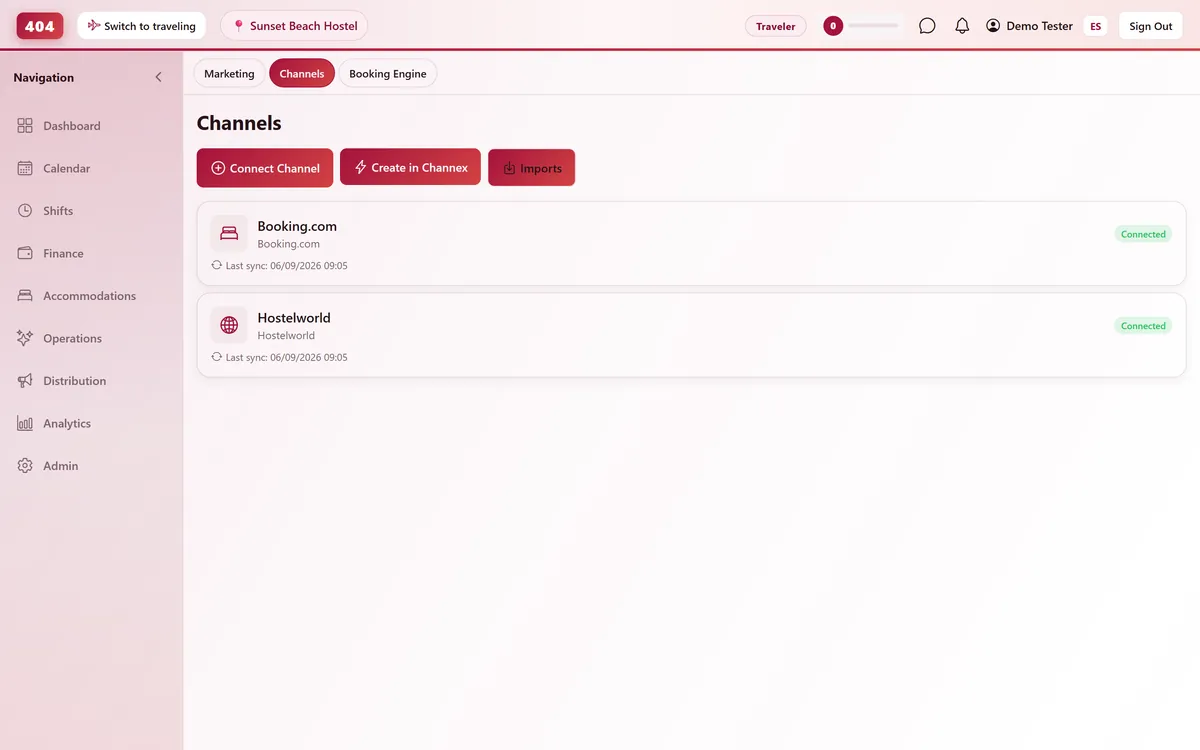
Agoda connects to Travel404 through Channex, our channel manager. Once channel manager mode is enabled in Agoda's YCS and the rooms and rates are mapped in Travel404, rates and availability push out automatically and Agoda reservations land on your calendar without a manual pull.
Before you start
- Worth knowing before you start: Agoda bookings import and sync normally, but Travel404 does not yet label them as an Agoda source — they show on the calendar and in reports under "Other".
- Admin access to Agoda's YCS (Yield Control System) for the property
- A commercial agreement with Agoda already in place for the property — Channex only handles the technical connection, not the business relationship
- A paid plan — the Channels screen stays locked for the whole free trial, so connect once you are live
- A Channex connection already active in Travel404 — Property → Channels → Create in Channex, a one-time step per account
Steps
In Agoda YCS
Enable channel manager mode
Go to YCS → Settings → Property Settings → Optional Settings, tick "enable channel manager mode," choose Channex from the dropdown, then Save.
Collect your IDs
Note your Agoda Hotel ID, your Room Type IDs (YCS → Property → Room Setup), and your Rate Plan IDs (YCS → Rates & Availability → Rate Plan Setup). You will need the Hotel ID next, in Travel404.
In Travel404
Open Property → Channels
Confirm your Channex channel shows status Connected. Create it first with "Create in Channex" if this is your first OTA.
Click "Manage OTAs"
On the Channex channel card, click "Manage OTAs" to open Channex's setup screen inside Travel404.
Create the Agoda channel
Click Create, choose Agoda, enter a Title and the Hotel ID from YCS.
Test the connection
Click Test Connection. A failure here almost always means Agoda has not finished enabling Channex on their side, or the Hotel ID has a typo.
Map every room type and rate plan
Agoda mapping is always multi-occupancy — if your property doesn't price per occupancy tier, map the same rate to every occupancy level so nothing shows as unavailable.
Save, then Activate
Press Save, then Activate from the Actions menu to start the live push.
How to tell it worked
Use Full Sync on the Agoda channel card to push your current rates and availability right away — a real Agoda booking should reach Imports within about 5 minutes of being made.
If something looks wrong
Test Connection fails even though the Hotel ID looks right
Confirm with Agoda support that channel-manager mode is actually enabled for your property in YCS, not just saved — this is the most common cause of a failed test.
Some occupancy levels show no price at all
Agoda maps per occupancy tier. An occupancy level left unmapped shows as unavailable even if the room type itself is mapped — check every tier, not just the room.
Rates differ between what I set and what Agoda shows
Check that the connection is Activated, not left in a saved-but-inactive state — a saved mapping without activation never pushes.
Room Type IDs from YCS don't match anything in the mapping list
Pull fresh IDs from YCS → Property → Room Setup — they change if a room type was ever deleted and recreated.
Common questions
Is the commercial relationship with Agoda separate from this technical setup?
Yes. Your property still needs its own agreement with Agoda; Channex only handles the technical connection once that relationship is already in place.
Can I still edit rates directly in YCS after this is live?
You can, but Travel404's next push will overwrite anything changed manually in YCS — treat Travel404 as the source of truth once the channel is activated.
What does "multi-occupancy mapping" actually mean for my pricing?
Agoda expects a price for every occupancy count on a room — 1 guest, 2 guests, and so on. If you don't price that way, map the same rate to each tier so nothing shows as unavailable.
How fast do Agoda bookings show up in Travel404?
Webhook-based, typically within seconds, with a 5-minute background poll as a safety net.
See it running in your hostel
Set up in 30 minutes. No credit card required.