Connect Hostelworld to Travel404
Hostelworld has to enable the connection on their side first — then Channex takes over rates, availability and instant booking delivery inside Travel404.
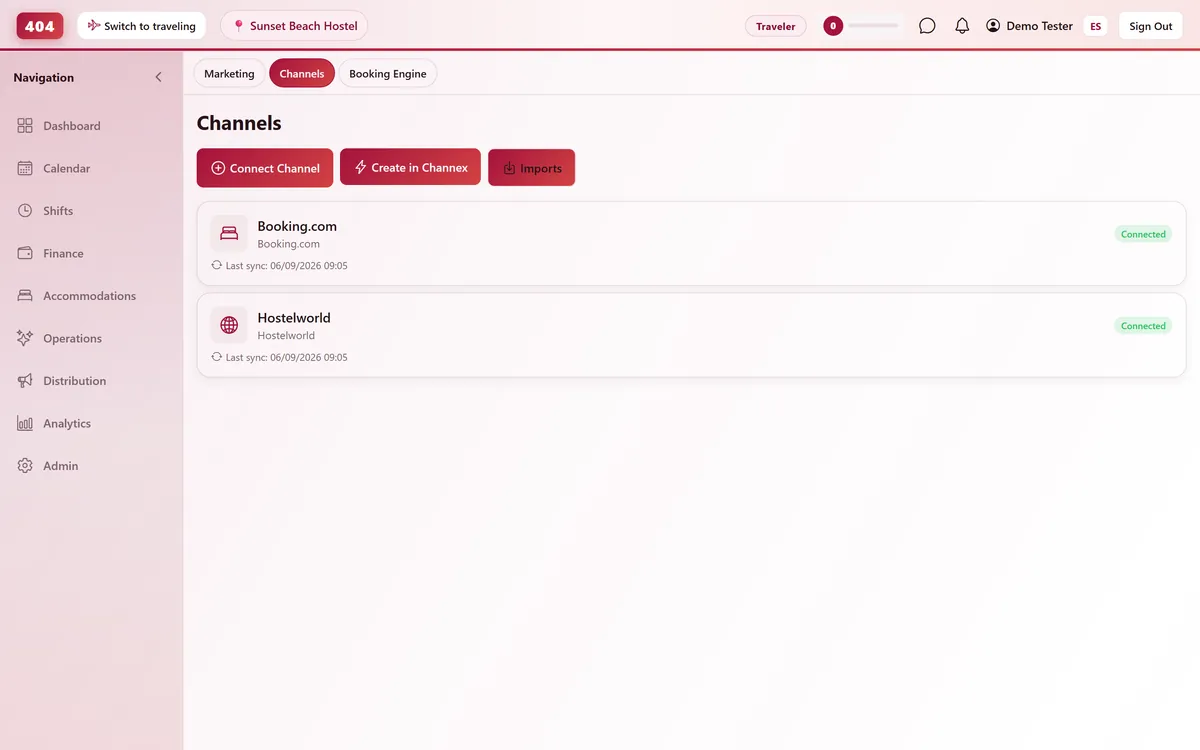
Hostelworld connects to Travel404 through Channex, our channel manager. It is the one OTA in this list that requires Hostelworld support to flip a switch on their side before you can connect anything. Once that is done, rates and availability push out from Travel404 automatically, and Hostelworld bookings land on your calendar without you touching either extranet.
Before you start
- A Hostelworld partner account for the property
- A paid plan — the Channels screen stays locked for the whole free trial, so connect once you are live
- A Channex connection already active in Travel404 — Property → Channels → Create in Channex, a one-time step per account
- Your room types and rate plans already built in Travel404, priced by max occupancy (see the mapping step below)
Steps
With Hostelworld Support
Email Hostelworld and ask for the Channex integration
Contact Hostelworld partner support and ask them to enable the Channex connectivity integration on your account. There is no self-serve toggle for this on the Hostelworld side.
Wait for their confirmation
Hostelworld replies once it is enabled and gives you a Property ID (their Hotel ID) — you need this for the Channex setup.
In Travel404
Open Property → Channels
Confirm your Channex channel shows status Connected. Create it first with "Create in Channex" if this is your first OTA.
Click "Manage OTAs"
On the Channex channel card, click "Manage OTAs (Booking.com / Airbnb / Hostelworld)" to open Channex's setup screen inside Travel404.
Create the Hostelworld channel
Click Create, choose Hostelworld, and enter the Property ID Hostelworld sent you. Click Test Connection and confirm it succeeds.
Match pricing to Hostelworld's occupancy model
Hostelworld prices by maximum occupancy, not per-guest: a double room maps to the 2-person rate, a 4-bed dorm room maps to the 1-person (per-bed) rate. There is no single-occupancy discount on this channel.
Map every room type and rate plan
Match each Hostelworld listing on the left to the correct Travel404 accommodation on the right. Leave nothing unmapped.
Save, then Activate
Press Save, then Activate from the Actions menu to start the live push.
How to tell it worked
Open the Hostelworld channel card and use Full Sync to push your current rates and availability, then check Imports — a real Hostelworld booking shows up within about 5 minutes of being made.
If something looks wrong
Test Connection fails even with the right Property ID
Hostelworld usually has not finished enabling Channex on their side yet. Email their partner support again referencing your account name and ask them to confirm it is active.
Some dates show closed that I never blocked
Hostelworld does not support Closed-to-Arrival or Closed-to-Departure restrictions — those settings are silently ignored on this channel, so don't rely on them here.
Dorm bed pricing looks wrong on Hostelworld
Check that dorm room types are mapped to a 1-person (per-bed) rate plan, not a per-room rate — Hostelworld has no concept of partial-room occupancy pricing.
Hostelworld shows an overbooking right after I activated
A pre-existing reservation was not entered in Travel404 before you activated the connection — enter any bookings you already had before turning a channel live, not after.
Common questions
Why can't I just connect from Travel404 without emailing Hostelworld first?
Hostelworld requires manual enablement of the Channex integration on their side before any channel manager can even request a Property ID — there is no API step that skips this.
Do I still need to log into Hostelworld directly after this?
Only for things Channex doesn't touch — payouts, guest reviews, and support tickets stay in the Hostelworld extranet.
Will my dorm bed pricing carry over correctly?
Only if each room type is mapped to the matching max-occupancy rate plan — double-check that mapping before you activate, since Hostelworld won't warn you if it's off.
How fast do Hostelworld bookings reach my calendar?
Within seconds via webhook, with a 5-minute background sync as a safety net.
See it running in your hostel
Set up in 30 minutes. No credit card required.