Connect Google Hotel Search to Travel404
Free booking links put your rooms in Google Hotel Search results with no per-click cost — set it up through Channex, then give Google about a week to match your listing.
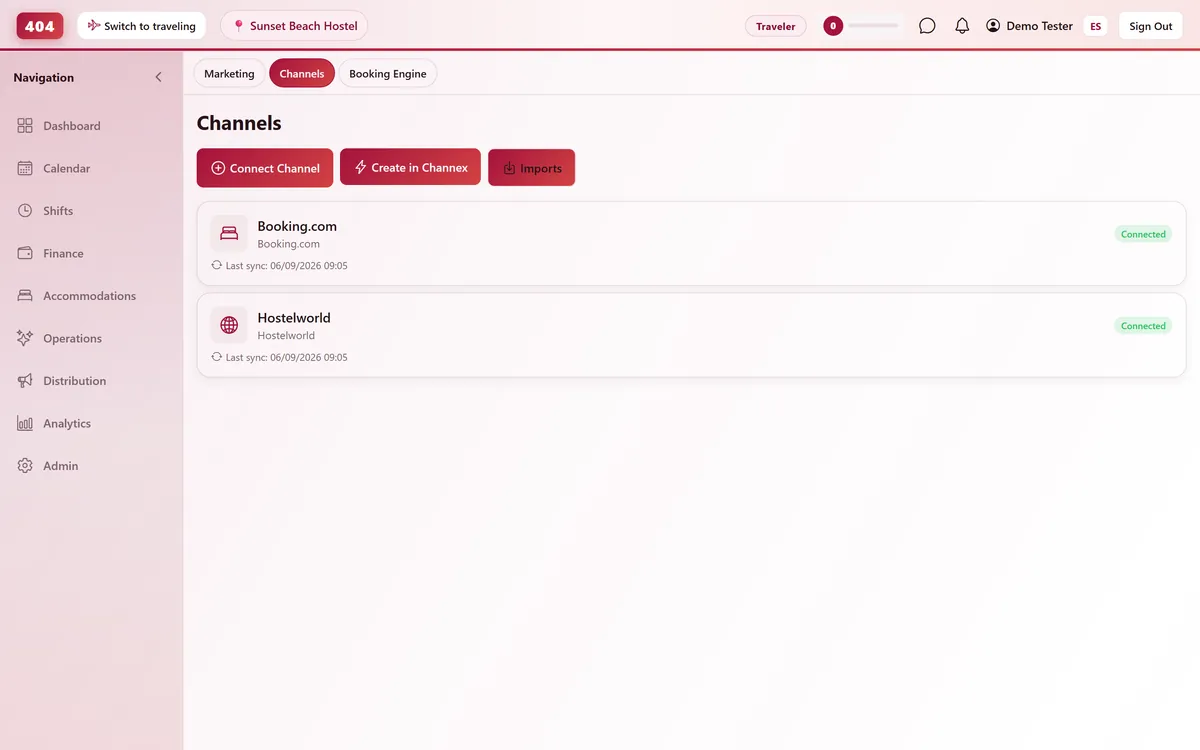
Google Hotel Search connects through Channex, our channel manager. Unlike the other OTAs in this list, it is a rate feed as well as a booking channel — it puts your rates and a booking link visible in Google's hotel search results. Google matches and re-crawls properties roughly once a week, so this is the one connection here that takes patience rather than a status check.
Before you start
- A complete property profile in Channex: address, phone, latitude/longitude, timezone, a cancellation policy, at least one facility, one photo, and one property description
- A paid plan — the Channels screen stays locked for the whole free trial, so connect once you are live
- A Channex connection already active in Travel404 — Property → Channels → Create in Channex, a one-time step per account
- Your property name, address, and phone number matching exactly what shows on Google Maps / Google Business Profile — Google matches listings on these three fields
Steps
In Travel404
Open Property → Channels
Confirm your Channex channel shows status Connected. Create it first with "Create in Channex" if this is your first OTA.
Click "Manage OTAs"
On the Channex channel card, click "Manage OTAs" to open Channex's setup screen inside Travel404.
Create the Google Hotel Search channel
Click Create and choose Google Hotel Search.
Set your booking link (if not using Channex's own booking page)
Build the URL using Google's placeholder format, for example https://book.yourdomain.com/property?checkin=(CHECKIN_DATE)&nights=(LENGTH) — Google fills in the placeholders per search.
Choose which rooms and rates to show
In the Mapping tab, tick the checkbox next to every room and rate you want Google to display. You can change these selections at any time.
Save
Save the channel. There is no separate "Activate" status check here the way there is for Booking.com or Expedia.
In Google Hotel Center
Verify your listing details match
Confirm the property name, address, and phone number are identical to what Channex and Travel404 have — Google matches listings on these three fields, and any mismatch means no match at all.
Wait about a week
Google re-scans for new or changed properties roughly once a week, so give it at least 7 days after saving before assuming something is wrong.
How to tell it worked
There is no live "connected" badge to watch here — check back in Google Hotel Center after about a week to confirm your rooms are showing, and use the Sync Log on the Google Hotel Search channel card in Travel404 to confirm it is still pushing.
If something looks wrong
My property never shows up on Google after a week
Double-check that the name, address and phone number match exactly between Travel404, Channex, and your Google Maps / Google Business Profile listing — a mismatch on any of the three fields blocks the match.
Rates showing on Google are stale
Confirm the rooms and rates you expect are ticked in the Mapping tab — anything left unchecked never gets pushed.
The booking link sends guests to the wrong page
Recheck the placeholder URL — a misspelled variable, like (CHECKIN_DATE) typed wrong, breaks every outbound link the same way.
No bookings ever arrive from Google
That's expected on its own — free booking links redirect the guest to your booking engine or Channex's, they don't create a reservation directly. Check that the redirect completes end to end, not just that the Google listing appears.
Common questions
Do I need to run paid Google Hotel Ads for this to work?
No. Once your Hotel Center property has a bid, available rates, and a landing page, it is automatically eligible for free booking links at no cost per click — that eligibility is what this guide sets up.
Why doesn't this channel show a connected/error status like the others?
Google Hotel Search doesn't have a live handshake the way Booking.com or Expedia do. It's a weekly crawl-and-match, so success shows up as your rooms appearing in Hotel Center, not a status badge in Travel404.
Do bookings from Google show up in the same Imports list as other OTAs?
No — this isn't an OTA booking channel with its own inbound reservations. It redirects guests to a booking page, and any reservation that results comes through that booking flow, not the OTA import pipeline.
What if I change my address after this is live?
Update it everywhere at once — Travel404, Channex, and Google Business Profile. A mismatch in any one place breaks the match Google relies on.
See it running in your hostel
Set up in 30 minutes. No credit card required.