A bar and shop that lands on the folio
Sell drinks, snacks and extras from a simple till. Every charge lands straight on the guest's folio — with a daily report of exactly what moved and what it made.
-
Set up your shop once
Items, categories, on or off
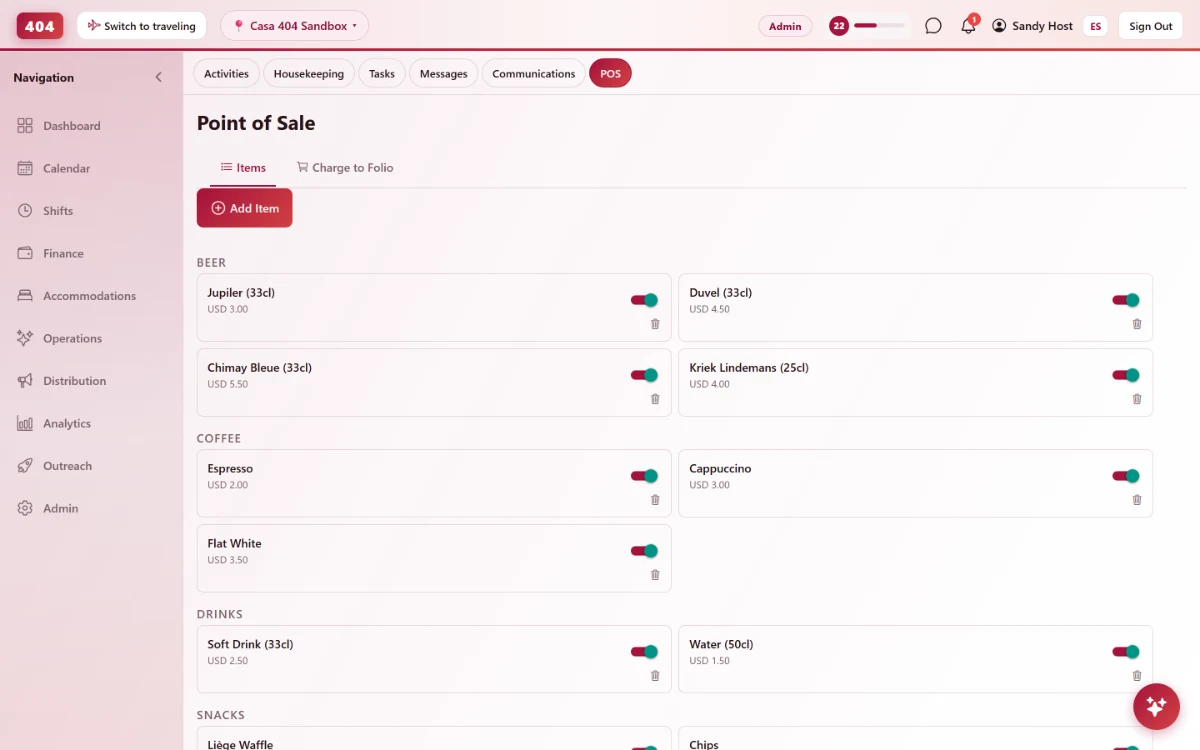
Add items with a name, category and price. Switch one off in a tap when you run out — no need to delete it and lose the sales history behind it.
- Name, category and price
- Group items by category
- Toggle active without deleting
- Edit or remove any item
-
Ring it up
Straight onto the guest’s folio
Search a guest by name or room, build a cart and charge it — the total lands on their folio next to the room rate, so the bar and the front desk never disagree.
- Search by guest name or room
- Multi-item cart with quantities
- Charges the guest folio directly
- Every charge lands on a real folio
-
Know what the bar made
A daily report, not a guessing game
Every sale rolls up into a report for the day — what sold, how many, and the revenue it brought in.
-
Daily revenue
Total items sold and total revenue for any date you pick.
-
Per-item breakdown
See exactly which items sold and how many of each.
-
Tied to a guest
Every charge is tagged to the folio it went on, so the bar total and the guest's bill always agree.
-
One item price, no drift
Unit price times quantity — the folio total always adds up correctly.
-
Common questions
Does a POS sale need a guest booked in the PMS?
Yes — a POS charge goes onto an in-house guest's folio. A sale to someone with no booking is recorded under Finance instead.
Where does a folio charge show up?
Right on the guest's folio, next to the room rate and any other charges — one bill, one balance.
Can I take an item off sale without losing its history?
Yes — toggle it inactive. Past sales stay in the daily report; the item just disappears from the till.
Can I see how the bar did on a specific day?
Pick any date and pull up total items sold, total revenue, and the breakdown per item.
See it running in your hostel
Set up in 30 minutes. No credit card required.