Move a guest mid-stay. Keep one booking.
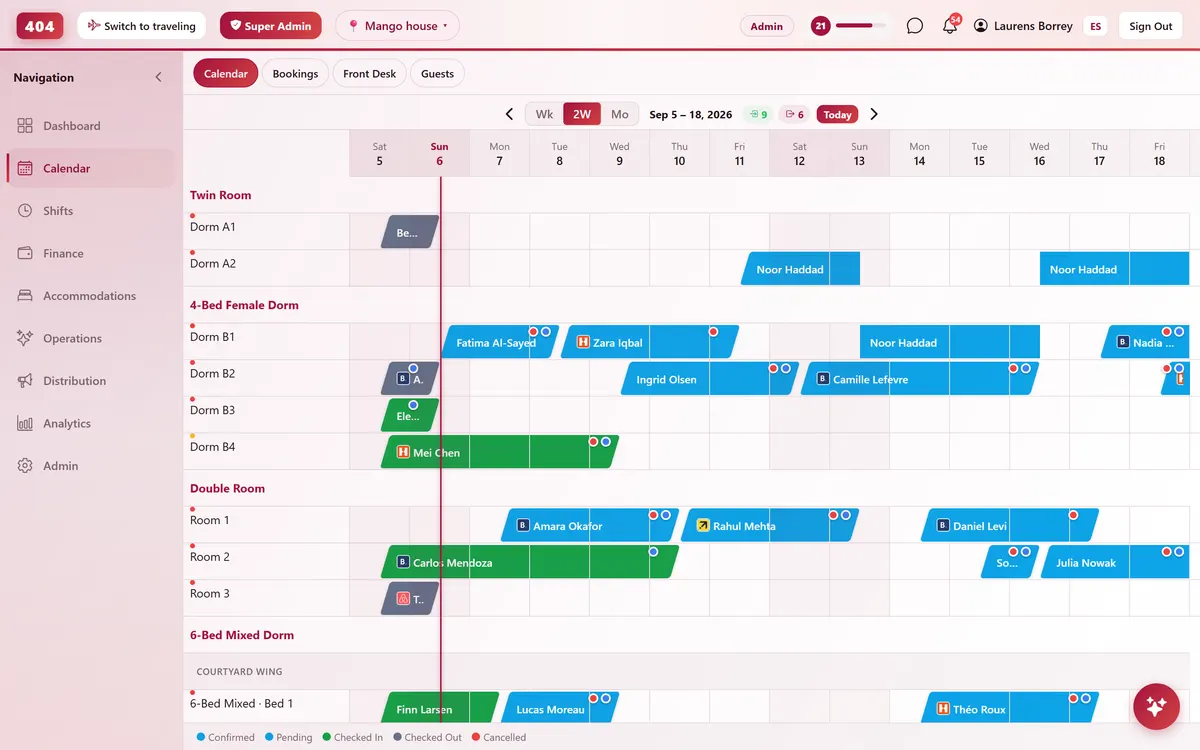
Drag a stay to a different bed or room partway through and Travel404 splits it into per-night room rows — one reservation, one folio, one guest record, from check-in to checkout.
-
Drag to Split
Change rooms without changing the booking
Grab the bar partway through a stay and drop it on a different room. Travel404 splits the reservation into segments — one room for the first nights, another for the rest — without creating a second booking or a second folio.
- Drag mid-stay to reassign the room
- One booking, multiple room segments
- Folio and guest record stay unified
- Preview the new rate before you drop
-
Why This Matters
The alternative is two bookings and a mess
Most PMS tools force a room change into a cancel-and-rebook. That splits the guest's history, breaks the folio, and can even count them as an overbooking against themselves.
-
Per-night room truth
Each night stores its own room, so the calendar shows exactly where the guest is on any given night.
-
No phantom overbookings
The overbooking detector reads the real per-night room, not one pointer projected across the whole stay.
-
Rate preview first
See the new segment's price before you confirm the move — no surprise on the folio afterward.
-
One guest, one history
Comms, payments and folio charges all stay on the same reservation, start to finish.
-
Common questions
Does moving a guest mid-stay create a second booking?
No. Travel404 keeps ONE reservation and records which room each night belongs to — the calendar shows two segments, the guest still has one booking.
What if I only need to move some of the remaining nights?
Grab the bar starting from any night and drag — only the nights from that point forward move to the new room; the earlier nights stay exactly where they are.
Does the price update when the room changes?
You see a preview of the new segment's rate before confirming the move, so you know the total before you commit to it.
Does splitting a stay affect overbooking detection?
No — the detector already reads per-night room assignments, so a split stay never shows up as a phantom double-booking on either room.
See it running in your hostel
Set up in 30 minutes. No credit card required.