Add the Travel404 booking widget to Google Sites
Add a live booking search bar to a Google Sites page with Insert → Embed → Embed code — free on a personal account.
The new Google Sites (not the old "classic" version from before 2016) has an Embed code option built into the Insert menu, which accepts raw HTML, CSS and JavaScript. It's free on a personal Google account; on a Workspace account, an admin can disable third-party embeds domain-wide.
Before you start
- Your property set up in Travel404 with a slug (Property → Booking Engine shows it).
- Editor access to the Google Site, on the new Google Sites (not classic).
Steps
In Travel404
Copy the widget embed code
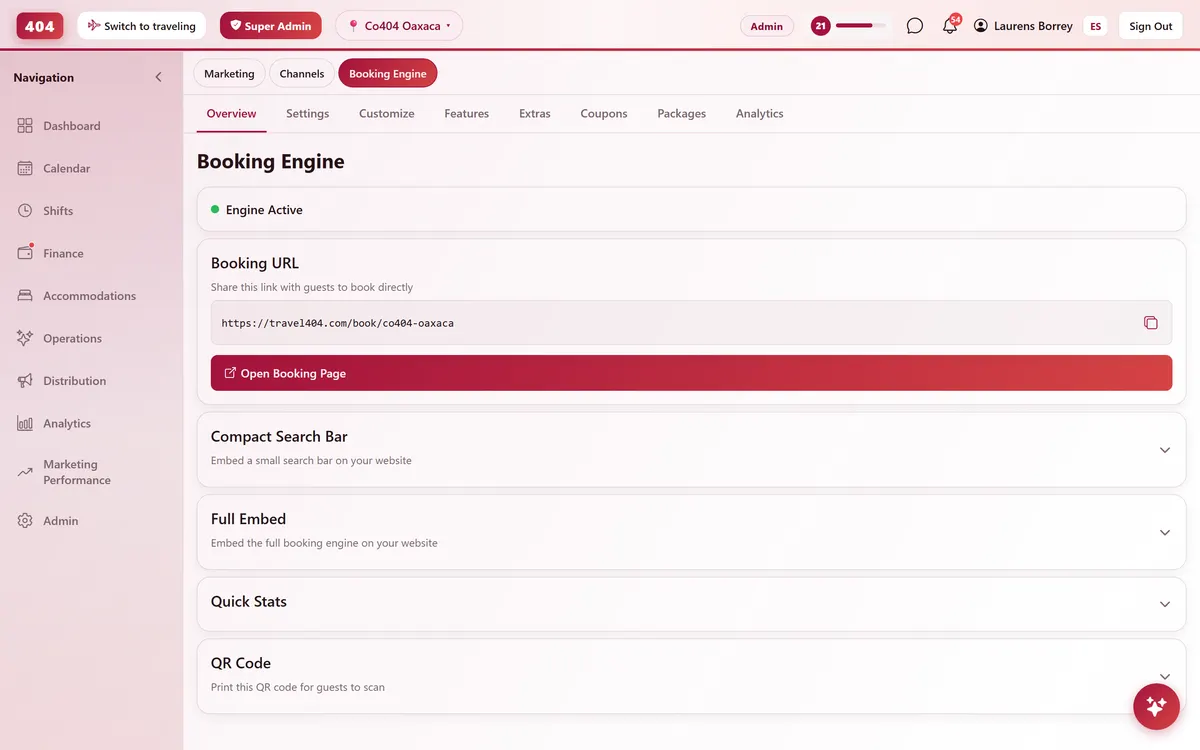
In the Travel404 app, go to Property → Booking Engine and open Compact Search Bar Widget. Under Embed Code, tap the copy icon. The code is two lines — a <div> and a <script> tag — and your property's slug is already filled in, so you won't need to edit anything before pasting it.
In Google Sites
Open the page and the Insert panel
With the site open for editing, click Insert on the right-hand panel.
Choose Embed → Embed code
Click Embed, then the Embed code tab.
Paste the snippet
Paste the two lines from Travel404 into the code box, then click Next.
Insert it
Google Sites shows a preview — click Insert to place it on the page.
Resize the box
Drag the inserted box's handles to make it about 600px tall — Google Sites doesn't resize the box to fit content, so leave room for the calendar to open.
Publish
Click Publish (top right). Edits are only visible to you until you do.
The snippet to paste
<div data-t404-property="your-property-slug" data-t404-mode="widget"></div>
<script async src="https://travel404.com/embed.js"></script>
How to tell it worked
Open the live page in a private/incognito window — not a tab you had open before pasting the code, which may show a cached version — and confirm the search bar loads with your property, the date pickers open, and Search takes the guest to a booking page. If nothing shows, re-check the steps above before assuming it's broken.
If something looks wrong
The Embed option is grayed out or does nothing on Insert
On a Google Workspace account, an admin can disable third-party embeds sitewide (Admin console → Apps → Google Workspace → Sites). Ask your admin to enable it, or build the page on a personal @gmail.com account instead.
The widget shows a scrollbar or the calendar gets cut off
Resize the embed box's handles taller in the editor — like Wix, Google Sites uses a fixed-height box that doesn't grow to fit content.
It shows for me but not for visitors
You edited the page but didn't click Publish — Google Sites keeps changes as a draft only editors can see until it's published.
I'm on the old "classic" Google Sites
Classic Sites (pre-2016) doesn't support this Embed code feature at all — migrate the site to new Google Sites first.
Common questions
Which Google plan do I need?
None for a personal Google account — it's free. On a Workspace (business/school) account, your admin controls whether embeds are allowed.
Does this work on classic Google Sites?
No — only the new Google Sites has the Embed code option. Migrate first if you're still on classic.
Can I put the widget on more than one page?
Yes. Paste the same snippet anywhere it makes sense — homepage, a dedicated "Book now" page, even your footer. embed.js supports any number of copies on the same page or across the site.
See it running in your hostel
Set up in 30 minutes. No credit card required.